Racelink

Sim racing overlaysv0.1.0

Live race data on top of your sim.

Racelink puts live race data on your screen — standings, relatives, the track map, your inputs, the weather. Place each overlay where you want it, size it, tune it, and save the set for every car and series.

built-in overlays
15
supported sims
5
languages
7
Demo
Free

01 // In the cockpit

Readable at a glance

Monospaced numbers on dark plates and colour that means something: who is closing, who is in the pit lane, where your best lap was. The overlays share the look of the app.
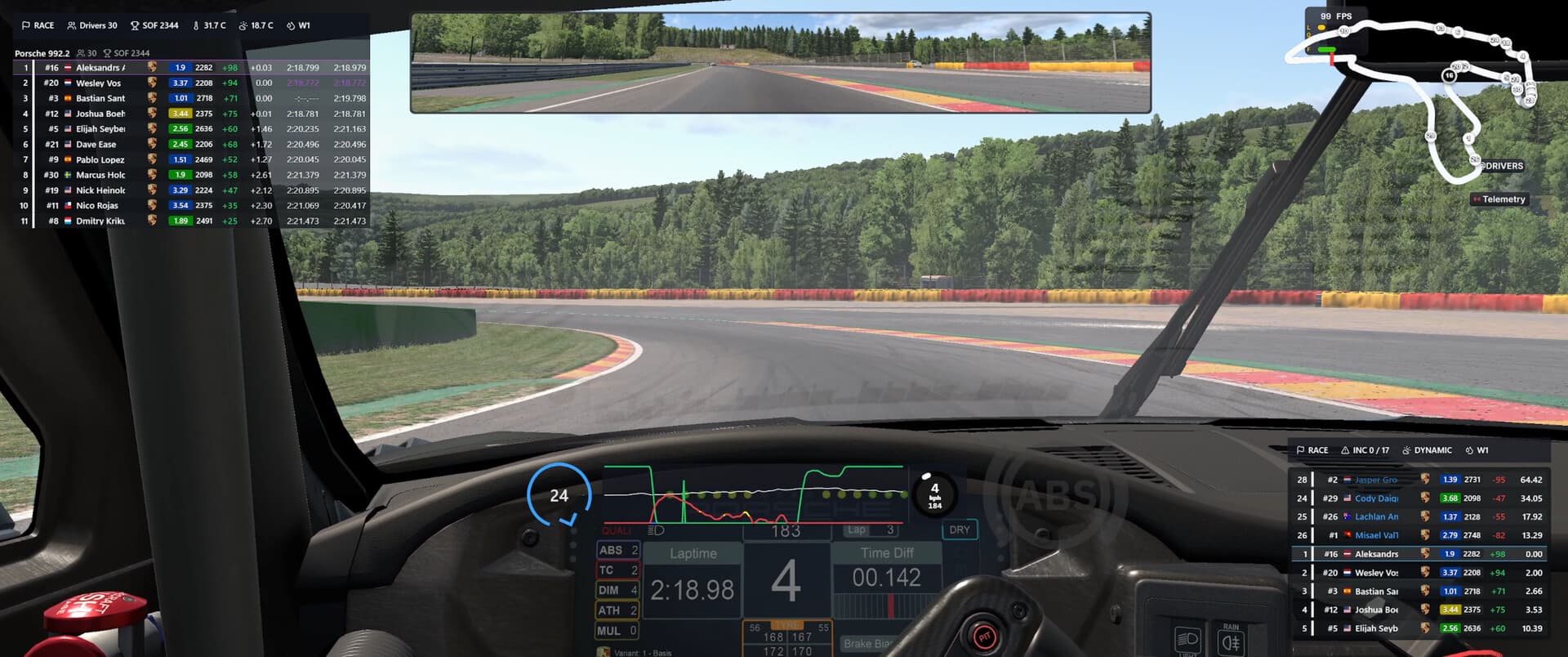
Racelink overlays in an iRacing race
  1. 01

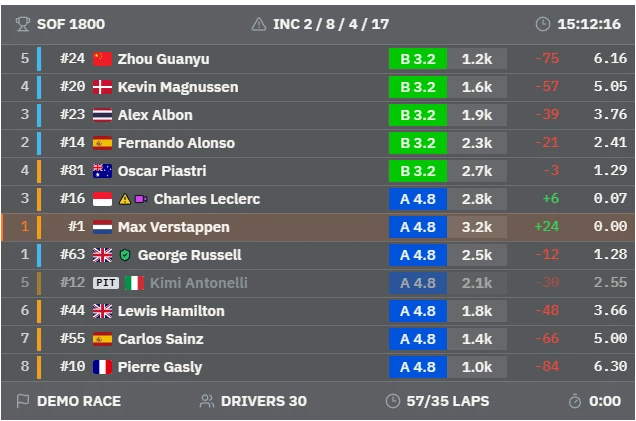
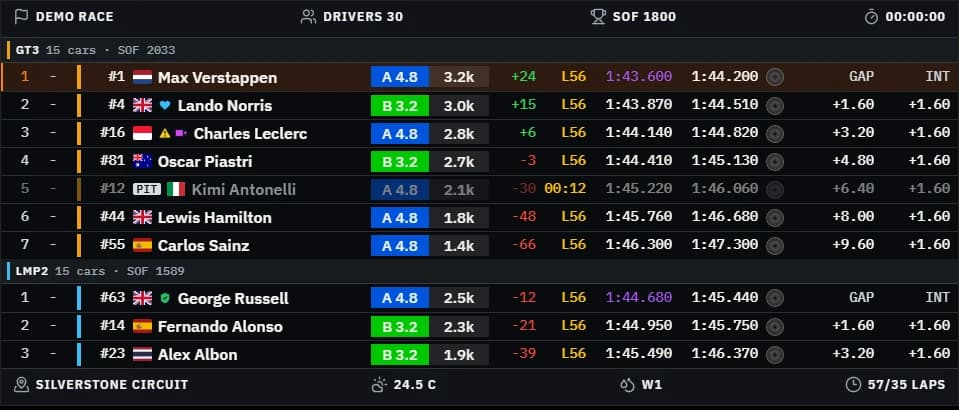
    Standings and Relatives

    Class-aware boards with gaps, iRating, licences, pit and off-track status. They show as many rows as their window holds.

  2. 02

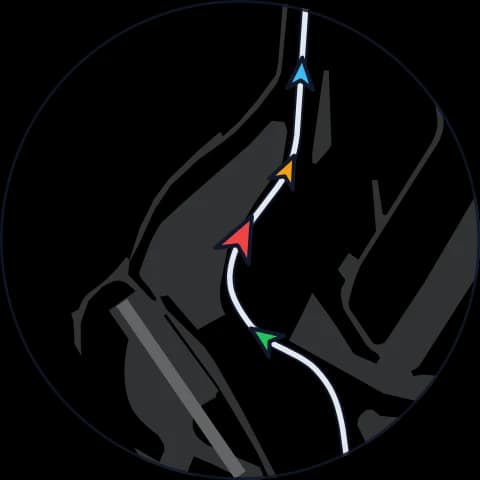
    Track map and blind spot

    Every car on the map, coloured by class, and bars at the screen edges while a car is alongside.

  3. 03

    Inputs, G-forces and ABS

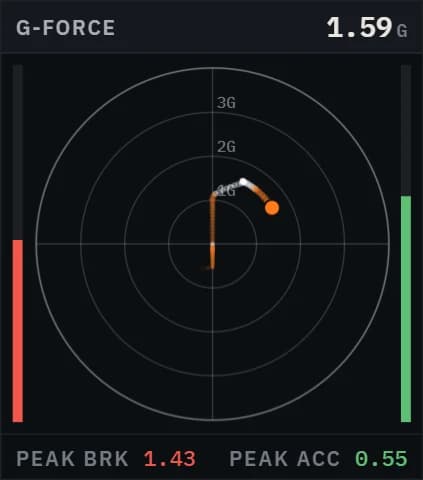
    Pedal and steering traces, gear and speed, the G-force circle and an ABS light.

02 // Layouts

A layout for every car and series

Drag overlays into place on top of the game, resize them and change any setting with a live preview. Switch layouts from a button on your wheel.

  • Edit mode right over the game: drag, resize, snap to a grid
  • Per-overlay settings with a live preview on demo data
  • Visibility rules: in the garage, in replays, when the game is closed
  • Every game remembers the layout you used last

03 // Overlay library

Racelink ships with a library of overlays for racing, timing, awareness and weather. The Steam Workshop adds the community’s.
See every overlay →
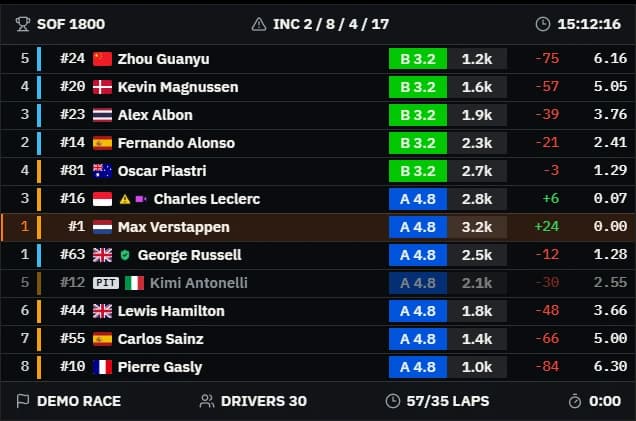
Standings

Standings

Race

The race order by class: gaps, intervals, laps, iRating and licences.

Relatives

Relatives

Race

The cars just ahead and behind you on track, with gaps in seconds.

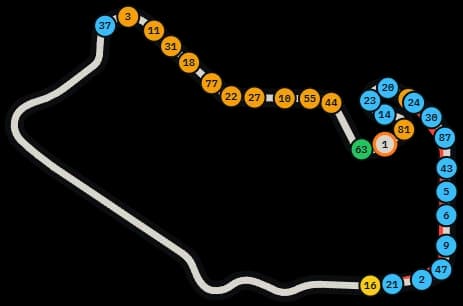
Track MapIn the Demo

Track Map

Awareness

The track outline with every car on it, coloured by class.

TelemetryIn the Demo

Telemetry

Driving

Throttle, brake, clutch and steering traces, with gear and speed.

Weather

Weather

Weather

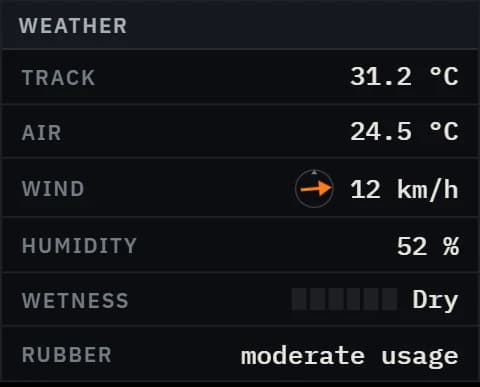
Track and air temperature, wind, humidity and how wet the track is.

G-Force Circle

G-Force Circle

Driving

Lateral and longitudinal g-forces with peak braking and acceleration.

Blind SpotIn the Demo

Blind Spot

Awareness

Bars at the screen edges show a car alongside on the left or right.

Stage Delta

Stage Delta

Timing

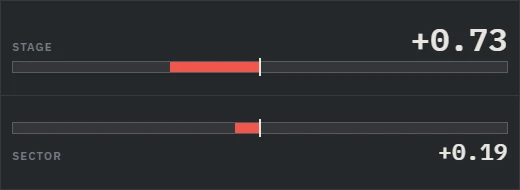
Live delta to your best run on a rally stage.

Twitch Chat

Twitch Chat

Other

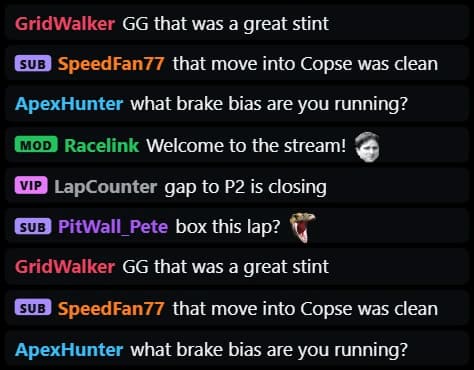
Your Twitch chat on screen, read anonymously — no login needed.

Now Playing

Now Playing

Other

The track playing on your computer with its cover, artist, time and progress, coloured after the cover.

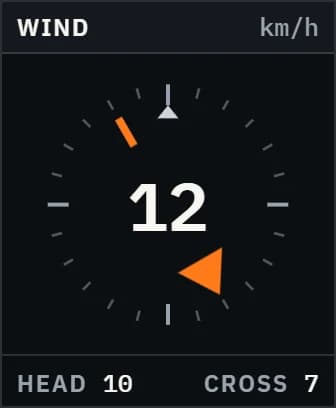
Wind

Wind

Weather

Wind direction relative to your car and its speed.

ABS IndicatorIn the Demo

ABS Indicator

Driving

Lights up while ABS is working.

Arcade Map

Arcade Map

Awareness

A rotating arcade-style map around your car with the cars nearby.

04 // Streaming

On your stream, too

Every overlay has a link for OBS or any browser source, and the Twitch Chat overlay keeps your viewers on screen while you drive.

05 // Steam Workshop

Overlays from the community — or from you

Subscribe to overlays in the Steam Workshop and they appear in Racelink, or drop an overlay’s folder or zip on the window. Make your own with HTML, CSS and TypeScript.

$ npm create @racelink/overlay@latest my-hud
✔ Template · react-ts
$ cd my-hud && npm install
$ npm run dev
● Racelink: my-hud is live in “Add overlay”

06 // Racelink Demo

Try it before you buy it

The free Demo runs the real app with 4 overlays and one layout per game. Keep everything you set up when you upgrade.

Lights out.

Racelink is on Steam, with a free Demo to try first.